

EduSeek AI
Designing safer, more accessible AI learning experiences for K–12 students
EduSeek is an AI learning platform for K–12 students, teachers, parents, and schools. I joined at an early stage and worked with the team through launch, designing experiences across the product—from the AI Tutor and learning activities to teacher support and the shared design system.
Role
Product Designer
Timeline
May 2025 - Aug 2026
Platform
Responsive Web
Status
Shipped
Product reach
200+ Students & parents
Design-system scope
100+ Components & variants
Team: Product Designers · UX Researchers · Developers · Product Manager · Founders
Tools: Figma · FigJam · Claude · ChatGPT · Notion · Slack
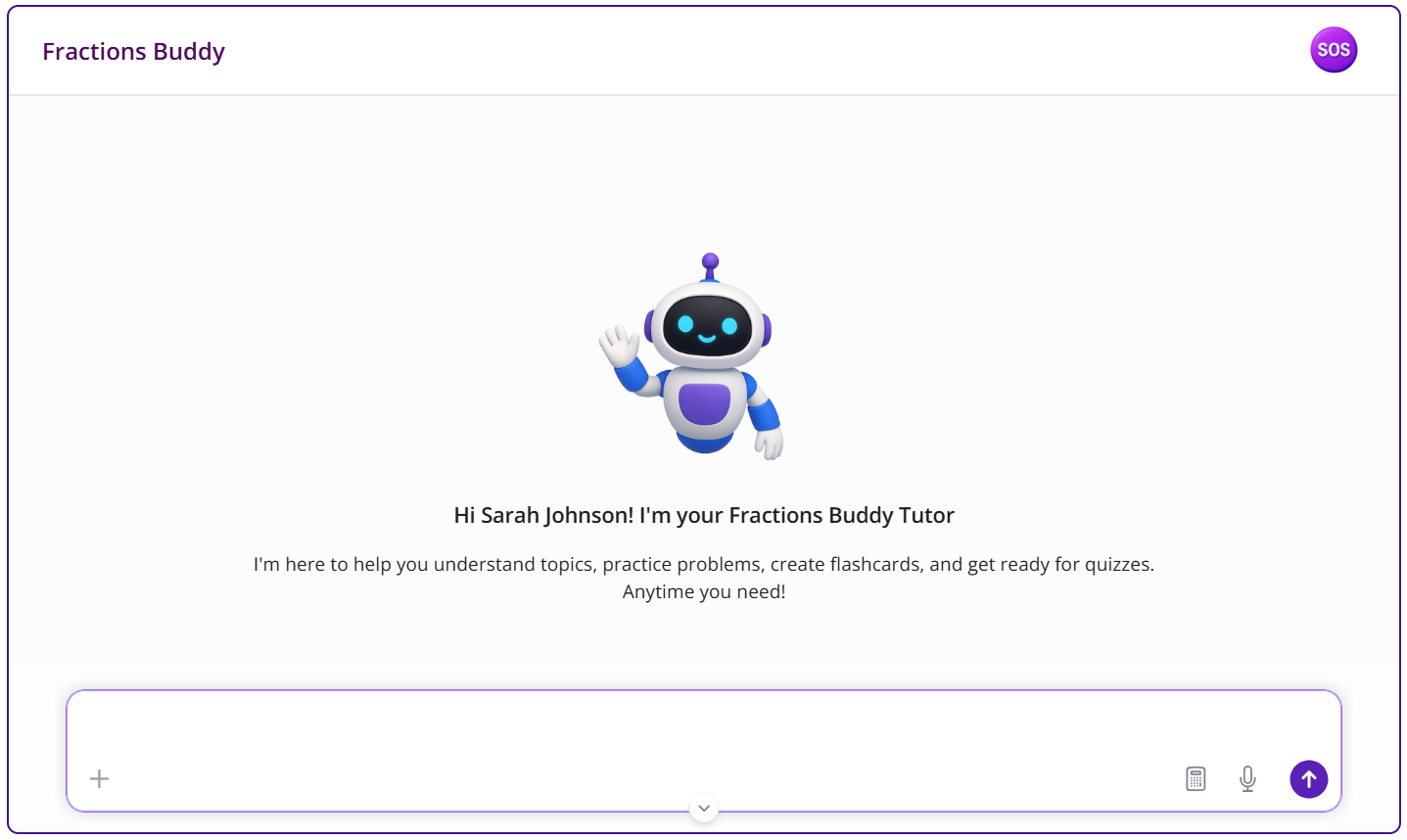
The challengeEduSeek serves students across K–12, from young children who may still be learning to read and type to more independent high-school students. At the same time, teachers needed visibility and control, while parents needed to understand and trust how AI was being used with their children.
The challenge was designing an AI learning experience that could work across different ages and abilities while also building in the right accessibility, human support, and safety.
Designing AI for students means designing for more than one kind of learner.

Discover
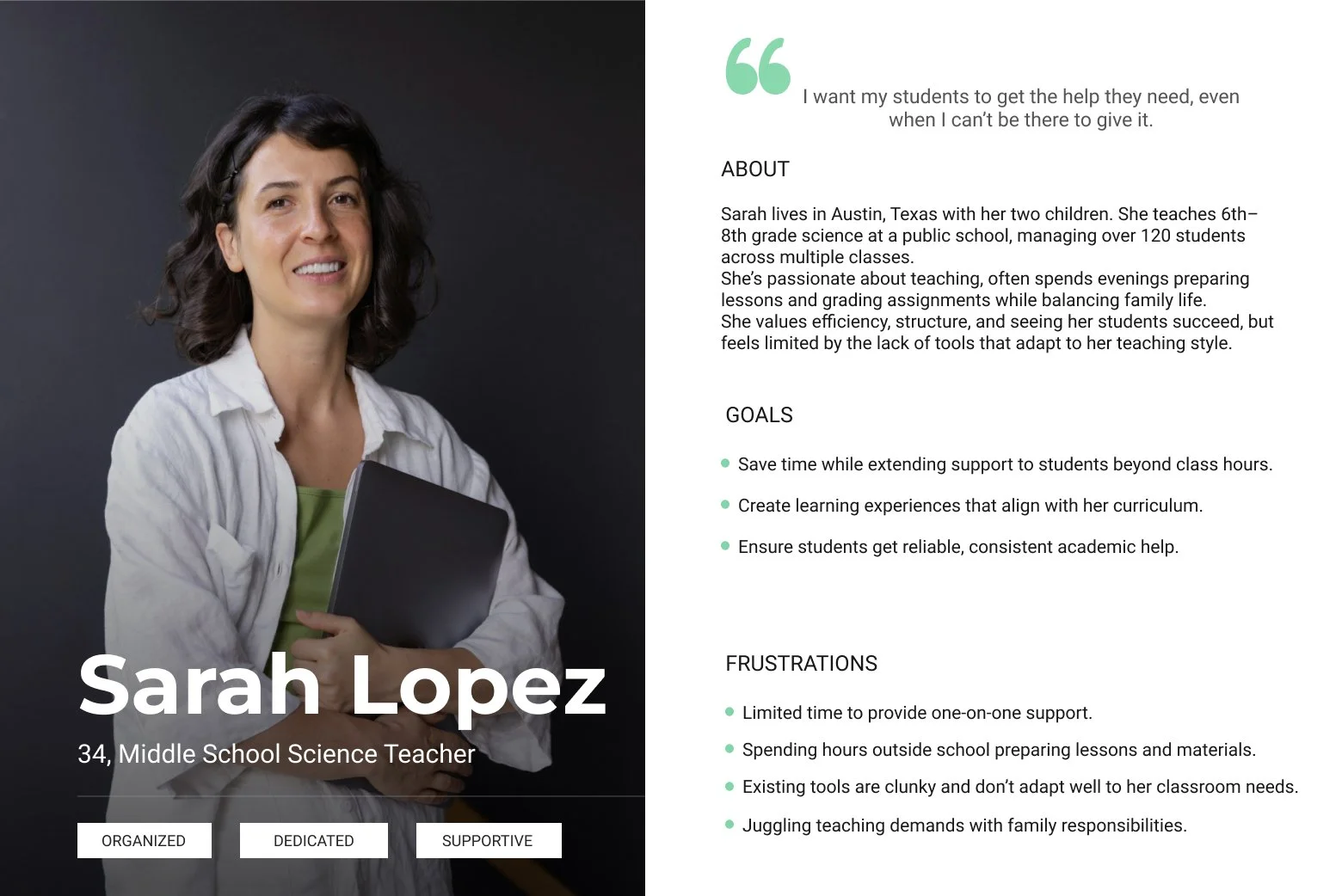
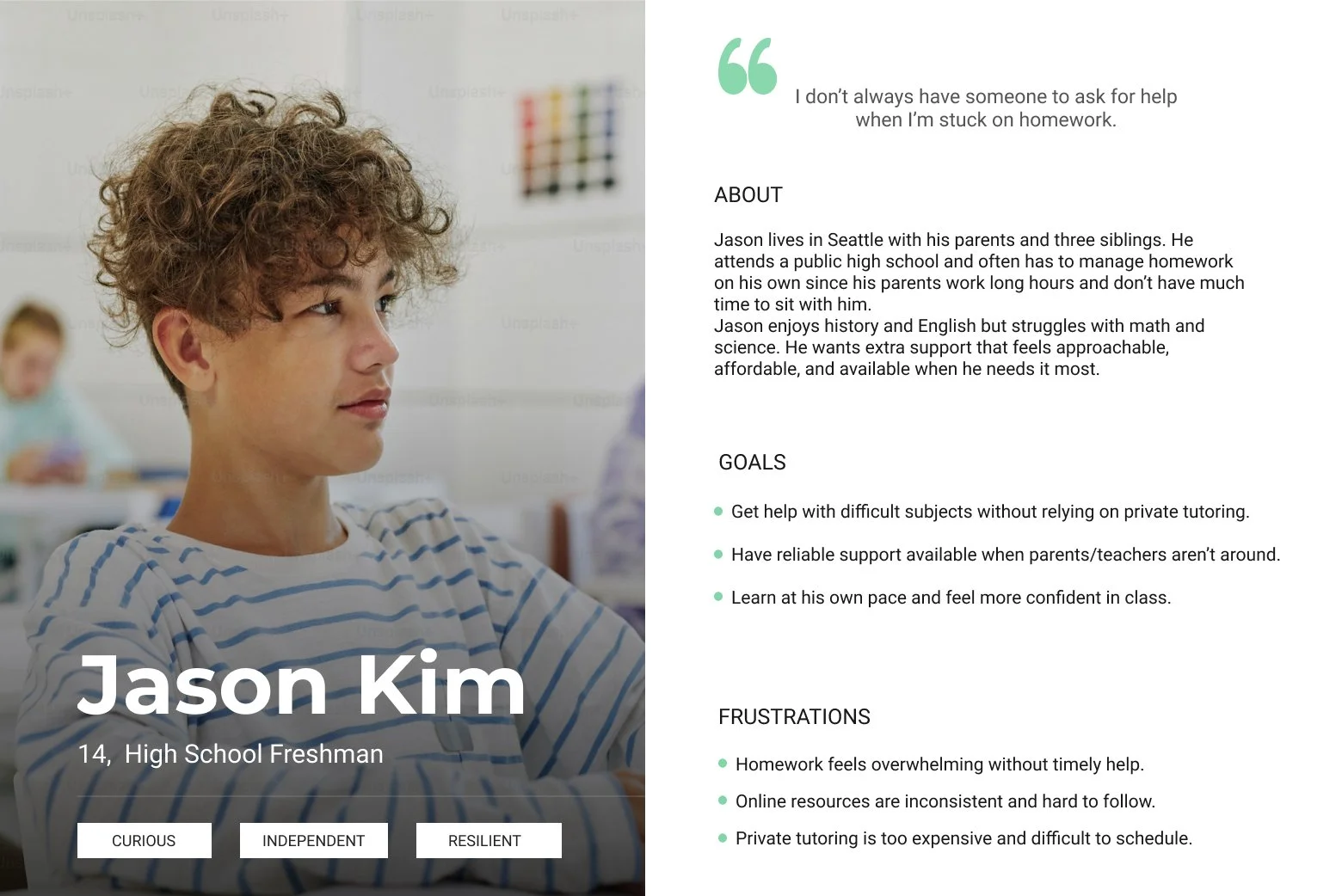
I contributed to the early research through competitor analysis and worked with the UX research team to turn key findings into two personas: students and teachers.
My RoleFrom early ideas to a shipped platform
As a Product Designer, I worked from early exploration through production, partnering with founders, product, research, design, and engineering as the platform evolved.
Owned
End-to-end design of key experiences
AI Tutor and student interactions
Chat experience, guardrails, and learning flows
Assignments, quiz, and flashcards
Practice and assessment experiences
SOS / human-support workflow
Clear handoff from AI to real teachers
AI safety and teacher oversight
Inappropriate content safeguards and flagged interactions
Student dashboard and teacher analytics
Tracking progress and classroom insights
B2B/B2C landing pages and pricing
Marketing site, messaging, and plans
Accessibility and responsive design
Designed for different ages, abilities, and devices
Design system
100+ components and variants
Collaborated on
Worked closely across the team
Personalized learning plans
Goal setting and learning roadmaps
Product direction
Strategic decisions with the founders
Iterations from real feedback
Insights from partner schools, teachers, and students
Boarder AI-safety decisions
Including age-appropriate image safeguards
Design-to-production
Partnered with engineering to bring designs to life

Building the FoundationOne system for very different learning experiences
EduSeek.AI had to feel:
Warm and encouraging for students
Professional and structured for teachers
I led the visual design work and built a responsive system of 100+ components and variants, covering typography, color, hierarchy, interaction states, and accessibility across desktop, tablet, and mobile.
Solving Real Problems Through Design
Problem
Students sometimes felt stuck or unsure how to move forward with only AI support.
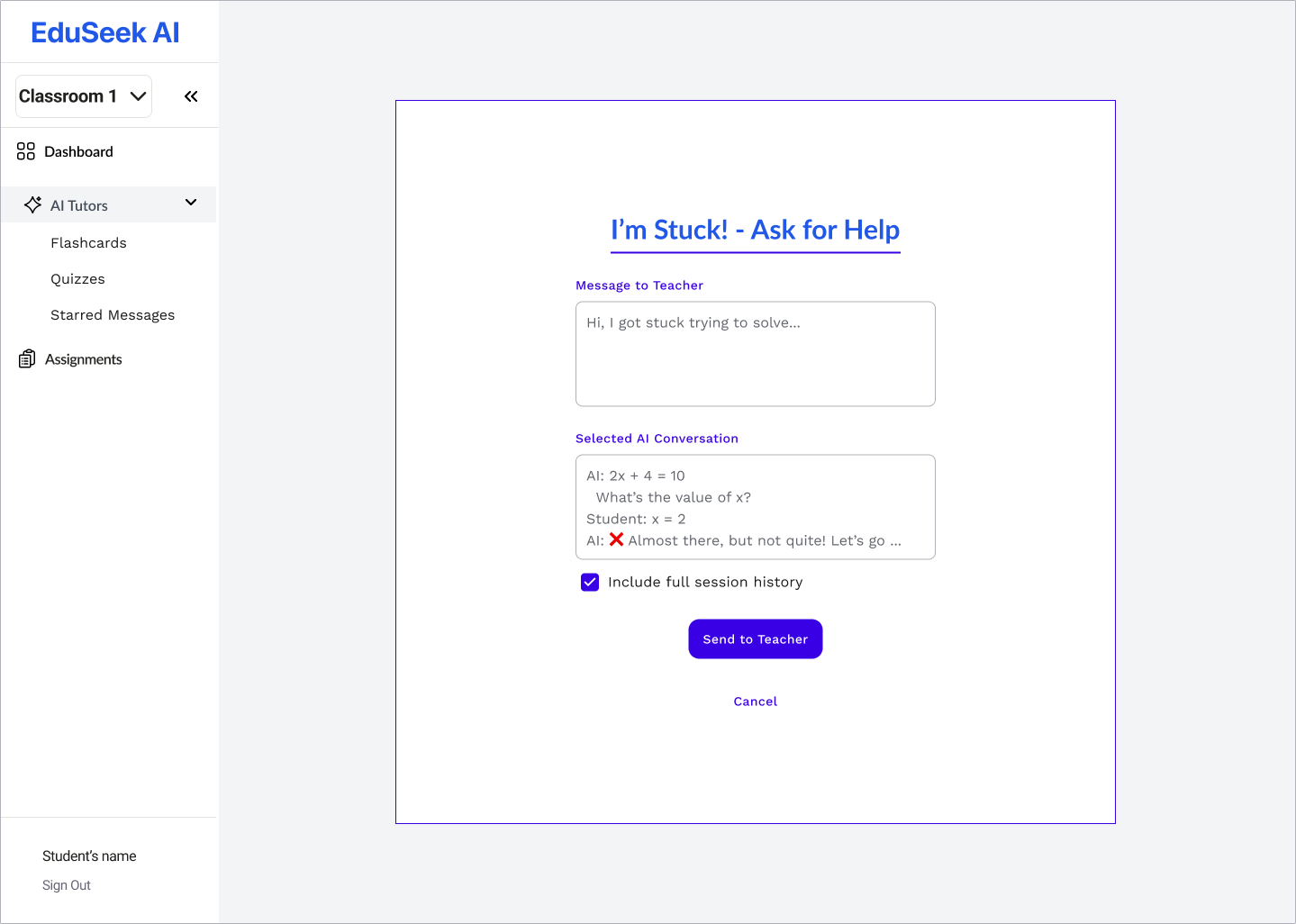
Initial Solution
I introduced a quick SOS button to connect students with teachers instantly.
Initial Solution
Iterating Through Feedback
Teacher feedback revealed that constant live requests were disruptive, they needed a way to help without being pulled into every chat.
Outcome
⚡ Faster help
📉 Less teacher interruption
🙂 Higher student confidence
📈 Scales to full classrooms
Problem
Teachers spent too much time creating quizzes, while students struggled to review lessons effectively on their own.
Initial Solution
I designed an AI-powered quiz and flashcard system that automatically generates practice questions from lesson content; reducing prep time for teachers and giving students instant practice.
Initial Solution
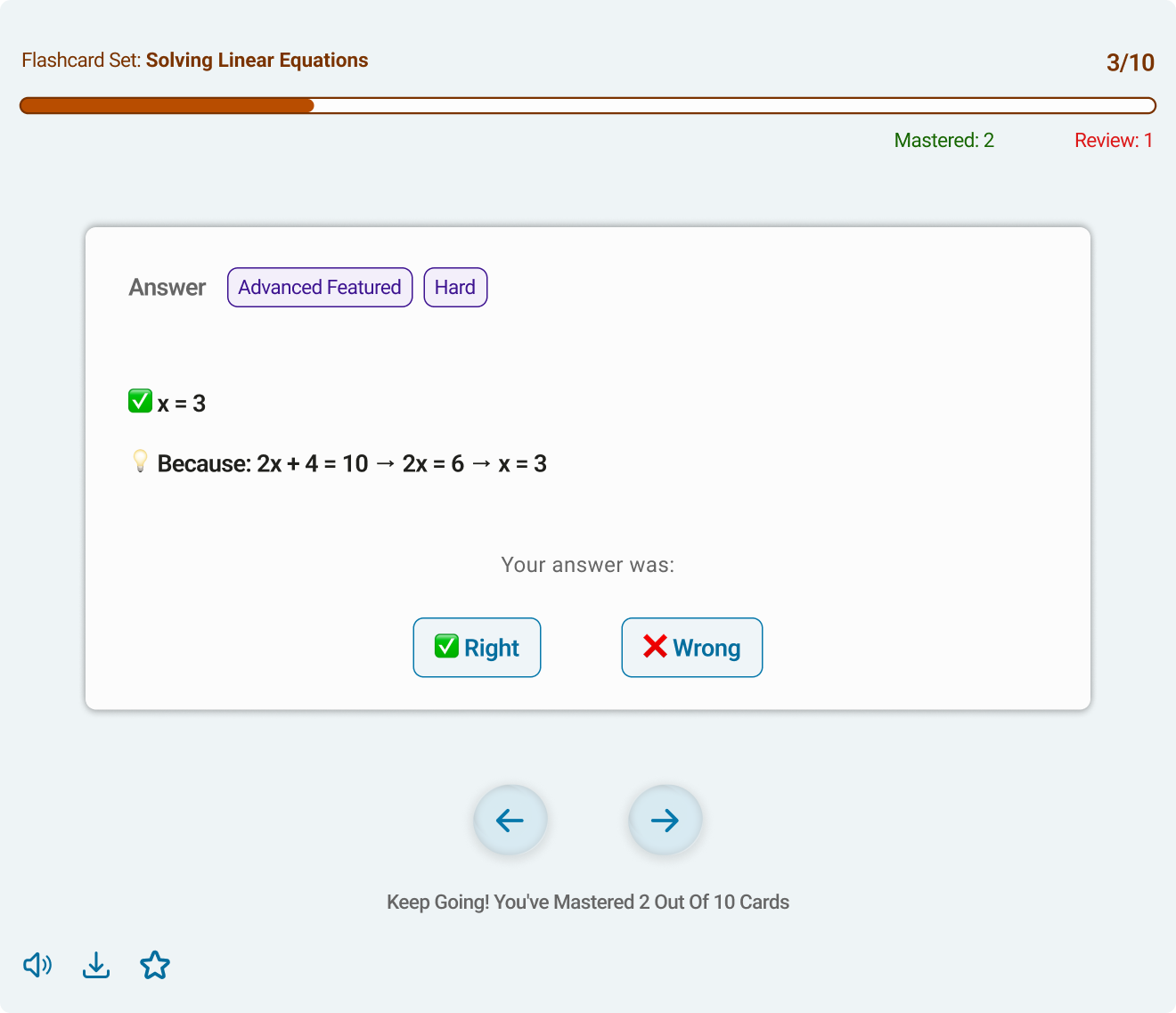
Flashcard
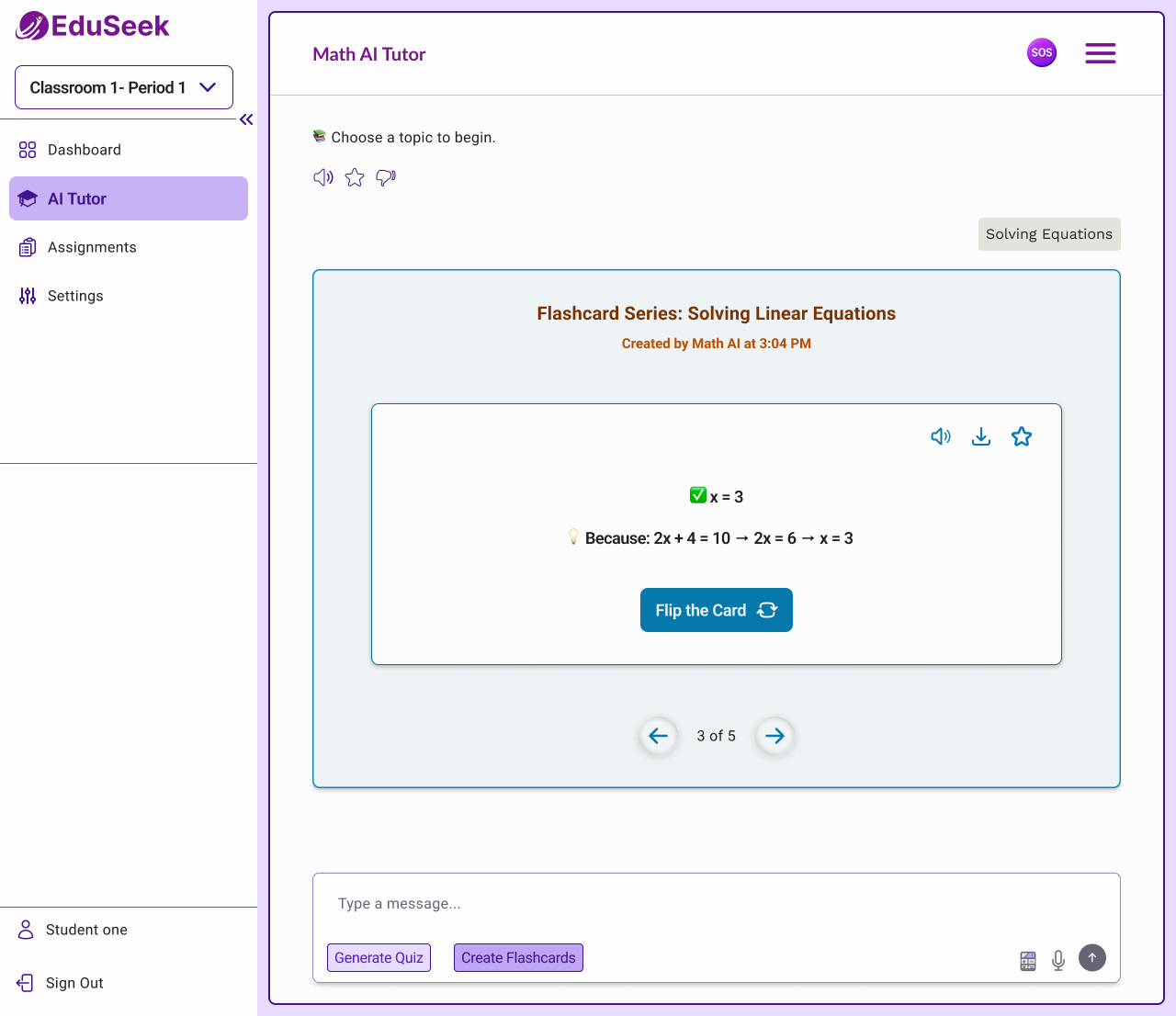
Quiz
Iterating Through Feedback
During testing, students said they felt unsure about their progress. They didn’t know:
• how well they were doing
• what they had mastered
• or what to review next
I redesigned the flow to include progress tracking, score summaries, and actionable feedback at the end of each deck.
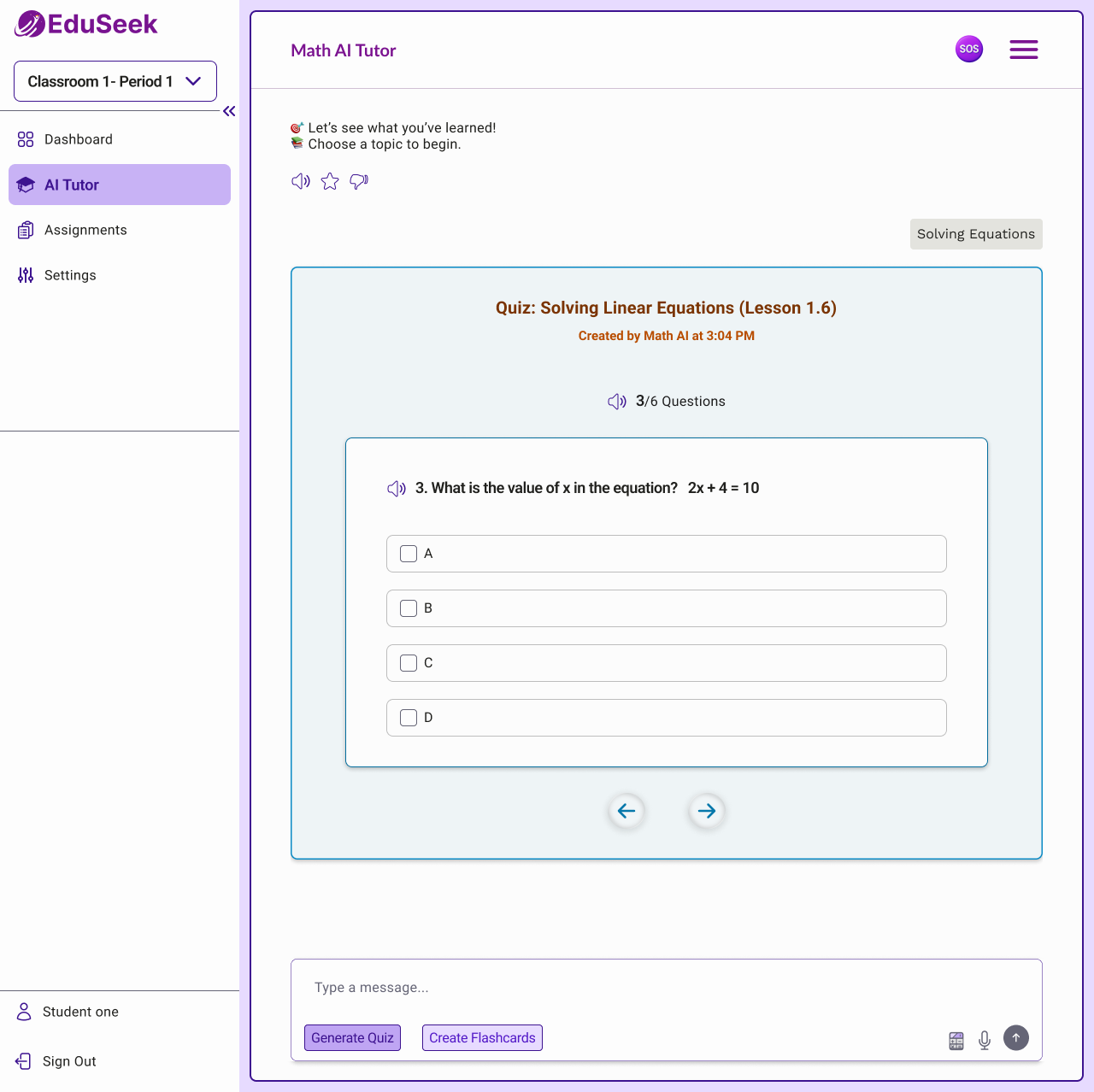
Refined Solution
Outcome
⚡ Faster help requests
🧑🏫 Reduced teacher workload
💪 More confident students
📈 A system that scales across classrooms
Problem
AI tutoring had to be safe for every student.
Teachers worried the AI might generate inappropriate or off-context responses.
Initial Solution
I added an inappropriate message alert that instantly flags the content, warns the student, and notifies the teacher. It keeps the chat safe, respectful, and transparent.
Iterating Through Feedback
This feature got good feedback, but teachers wanted more control. I updated it so they can manage the student’s AI access.
Refined Solution
Outcome
🛡️ Safer conversations
👩🏫 More teacher control
✅ Higher trust in AI
🏫 Ready for classroom adoption
Problem
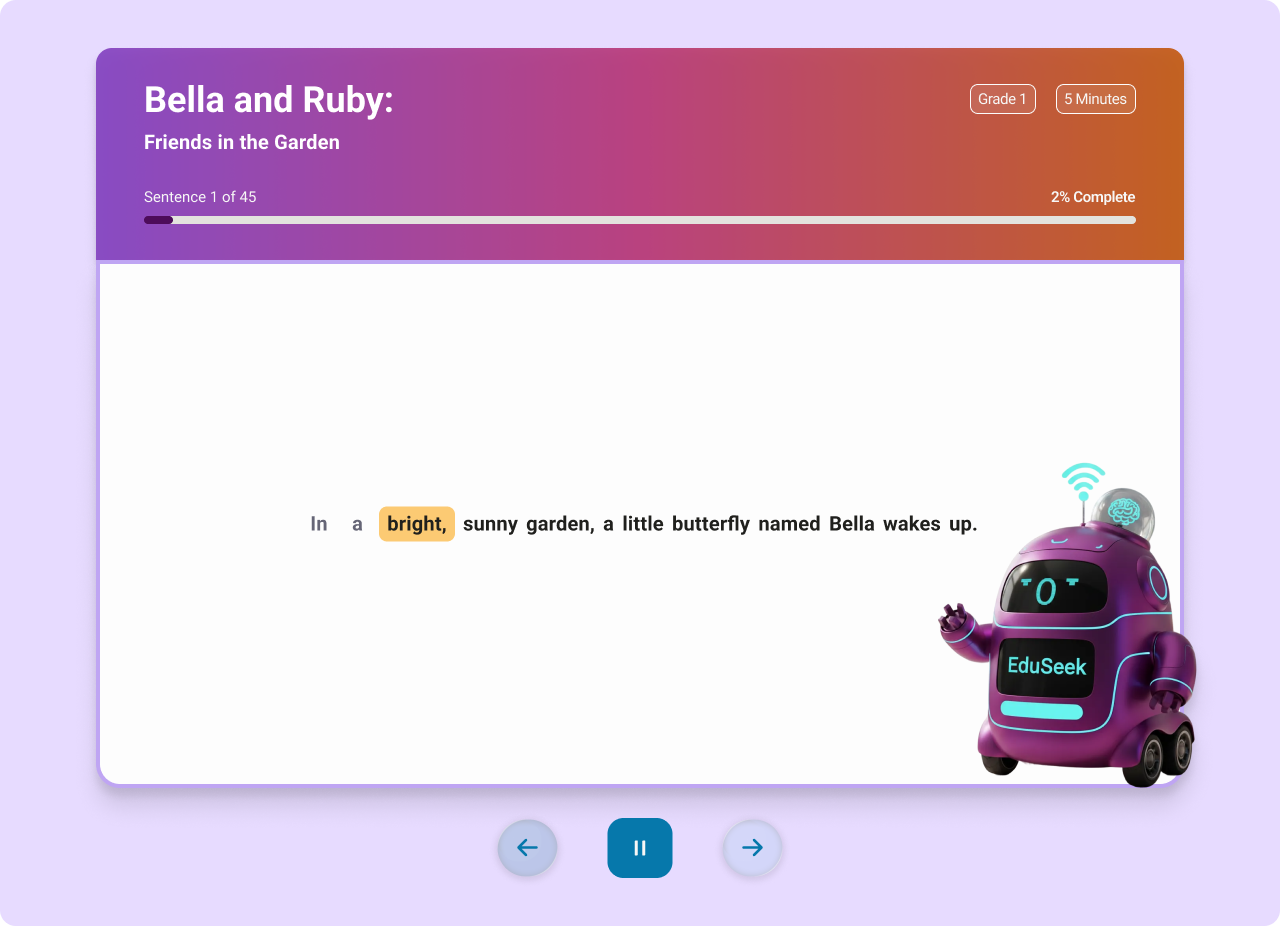
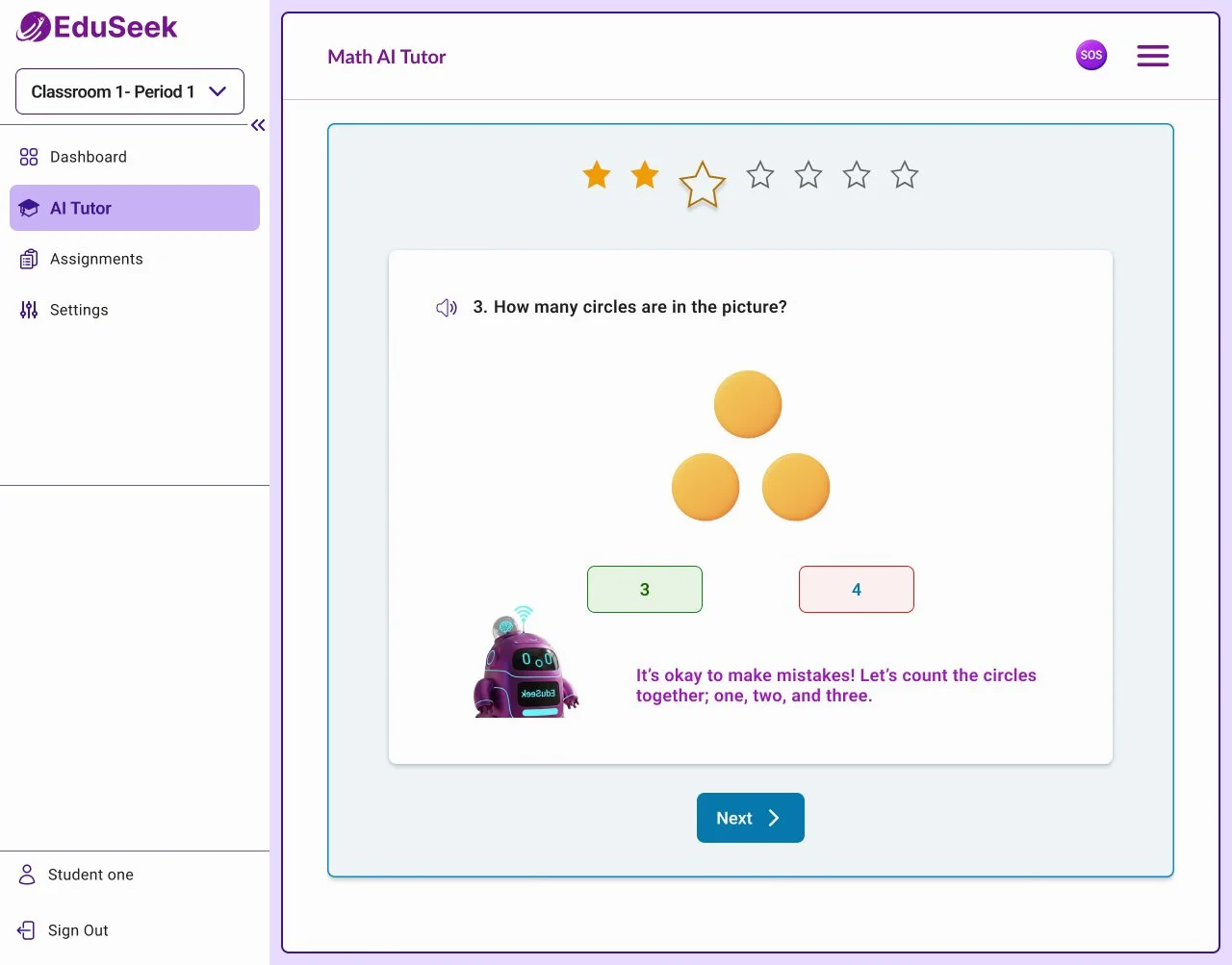
Early-grade students struggled with text-based AI; many couldn’t read or type confidently yet.
Initial Solution
Added a voice interaction mode and redesigned the UI with larger, simplified controls.
Initial Solution
Iterating Through Feedback
Teachers needed flexibility for different learning styles and lesson formats→ introduced multiple activity types and customizable character voices.
Refined Solution
Outcome
🎧 Independent use by young learners
🧠 Higher engagement
👩🏫 Teacher-controlled experience
📚 Scales across grade levels
What’s Next
• Redesigning the B2B landing page to better communicate value for schools and educators
• Designing a B2C experience for parents to highlight trust, safety, and learning outcomes
• Creating a student dashboard to support progress tracking and daily learning habits